 Director
 Record your screen. Cut it by editing what you said.
Director is a screencast editor for the Mac. Record your screen, camera and voice, then cut the video by deleting words from its transcript. Captions, zooms and shorts come from the same recording. Everything runs on your Mac — your recordings never leave it.
Requires macOS 26 on Apple Silicon. Free to try, with no time limit.
Record once, on one clock
Screen or window, camera and microphone, recorded together — and an iPhone or iPad over USB if you are showing an app. Pause, restart a take, or go straight to the next one; the recording panel stays out of the picture.
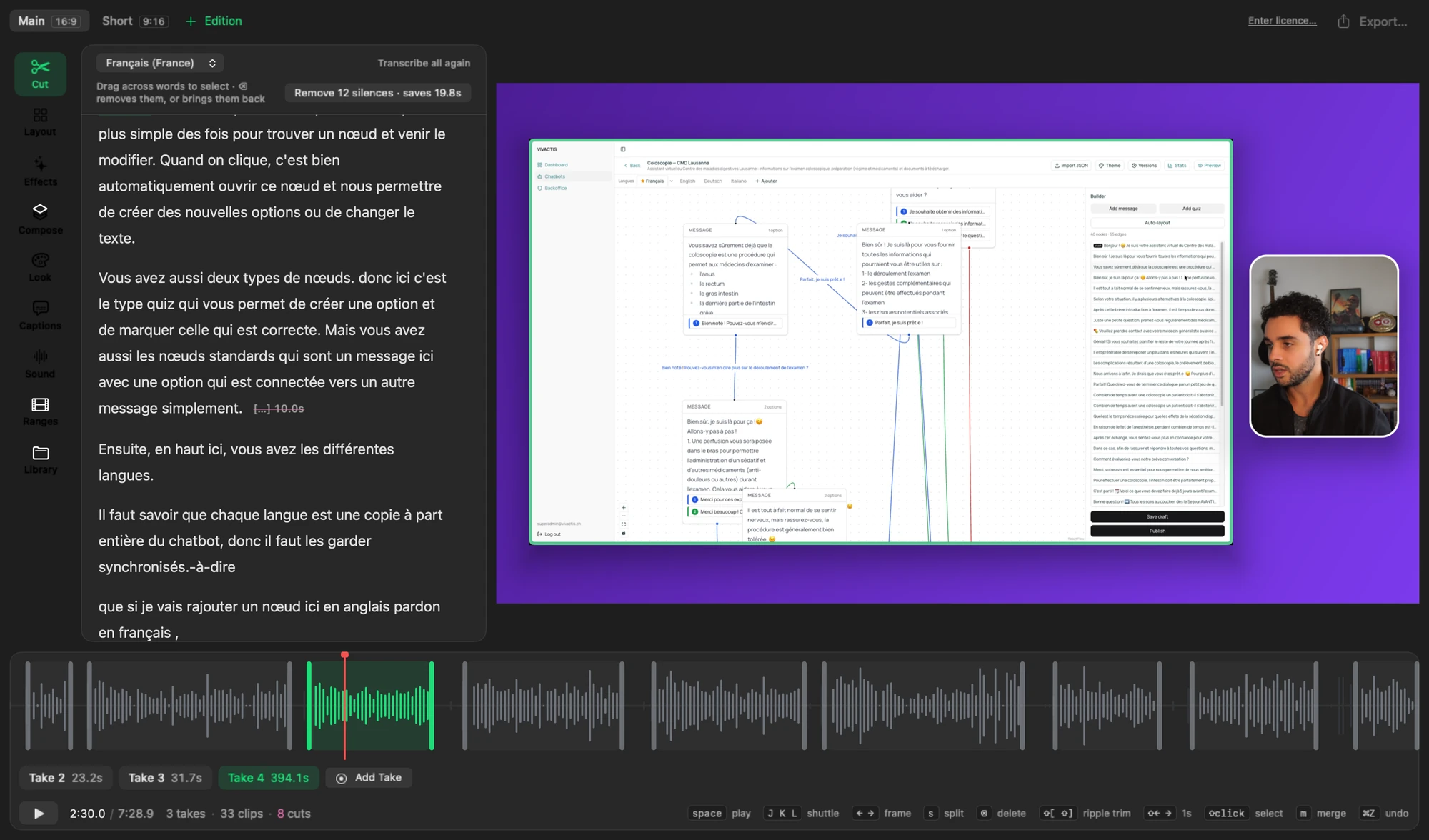
Cut by editing the transcript
Every take is transcribed on your Mac as soon as it is recorded. Select the words you fumbled, press delete, and the video closes the gap. No scrubbing for the frame where a sentence started.
Silences are found from your voice, not guessed from the words, and removed cleanly — one button for all of them, with how much time it saves.
Layouts and camera moves
Screen with camera, screen only, side by side, camera large: pick an arrangement, drag it into place, change it as the video goes on. Add camera moves to zoom in on what matters and glide back out.
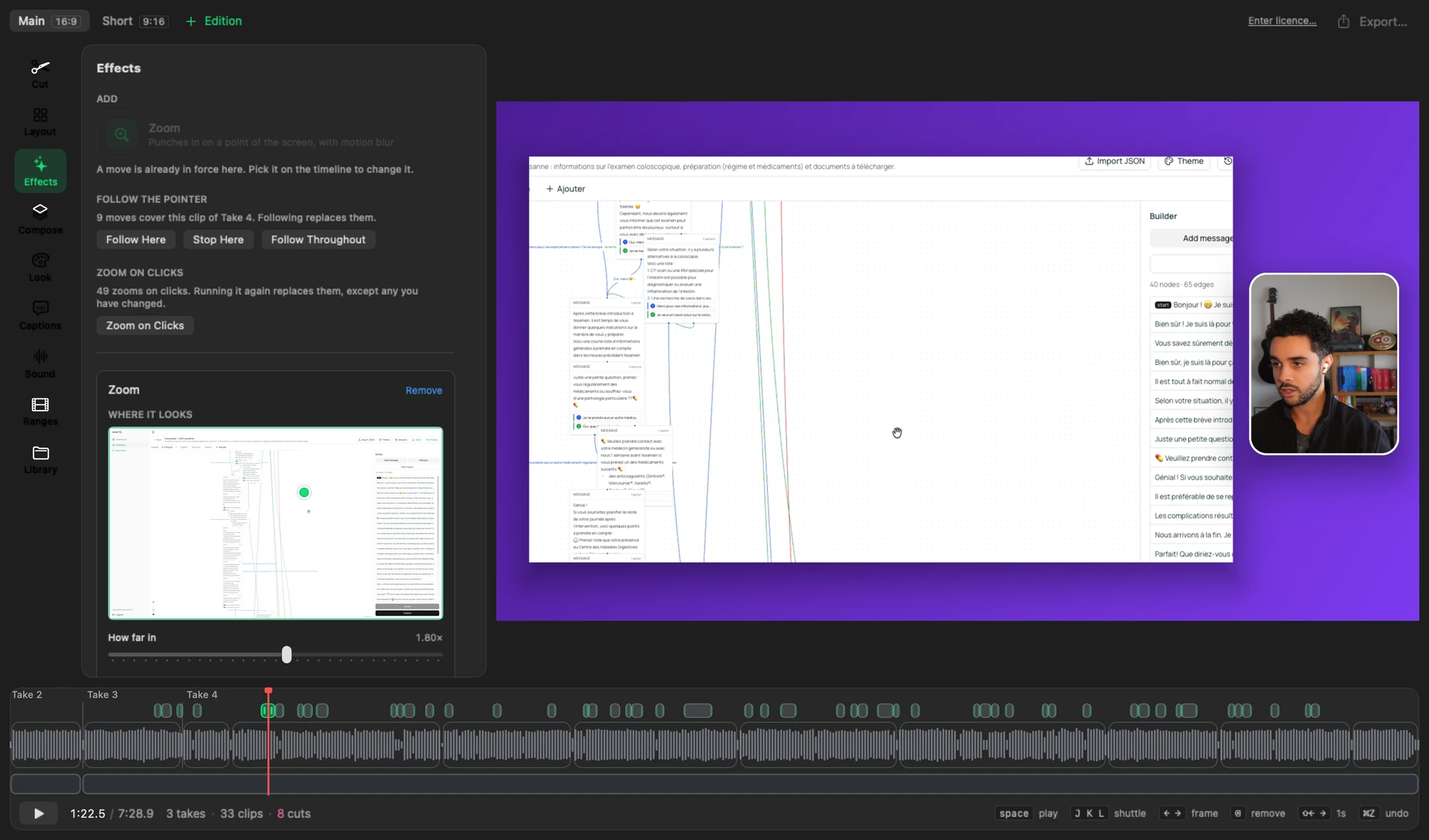
Backgrounds, padding, rounded corners and shadows are set once for the whole video, so it looks finished without a design pass.
Captions, in any language
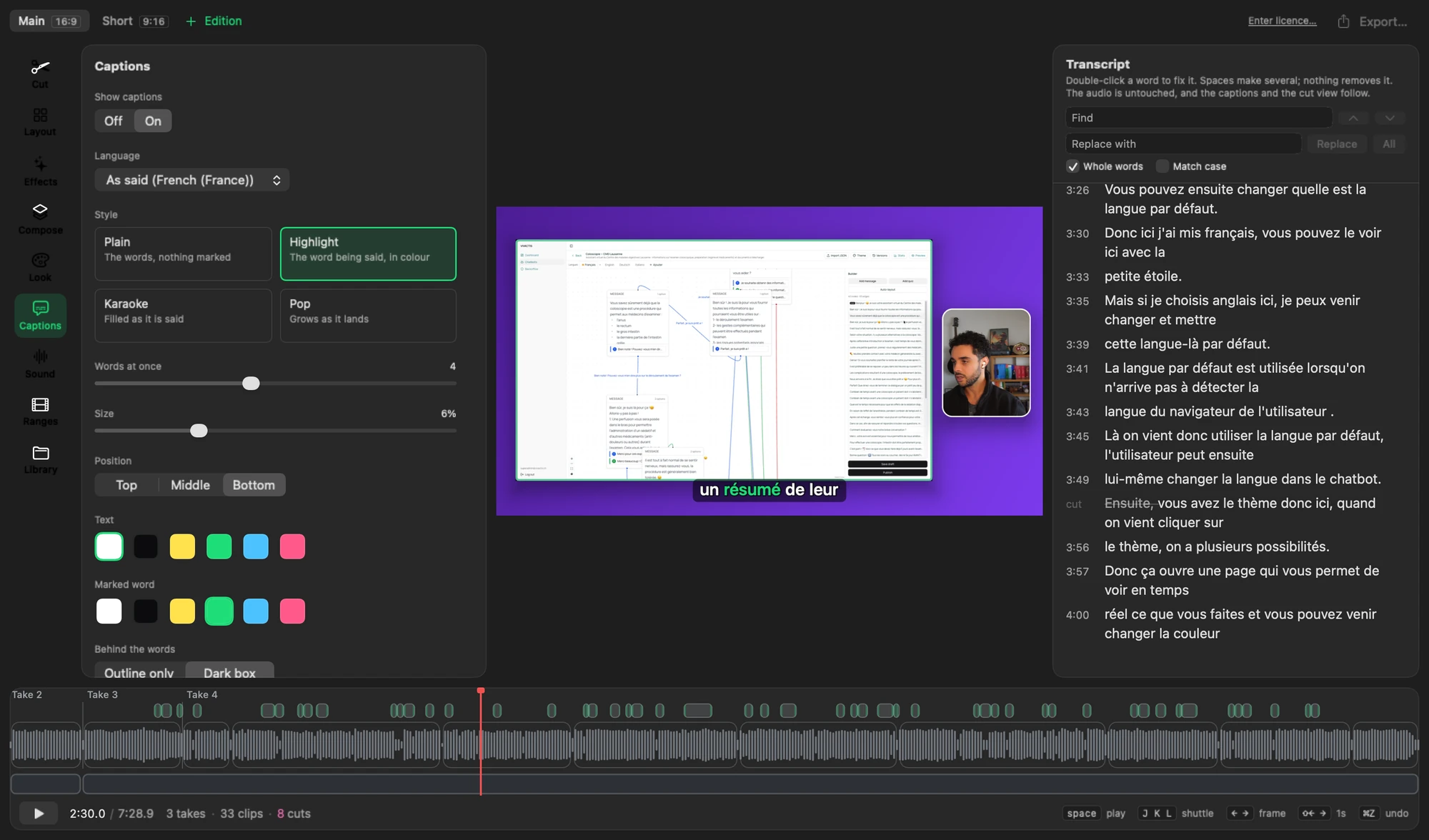
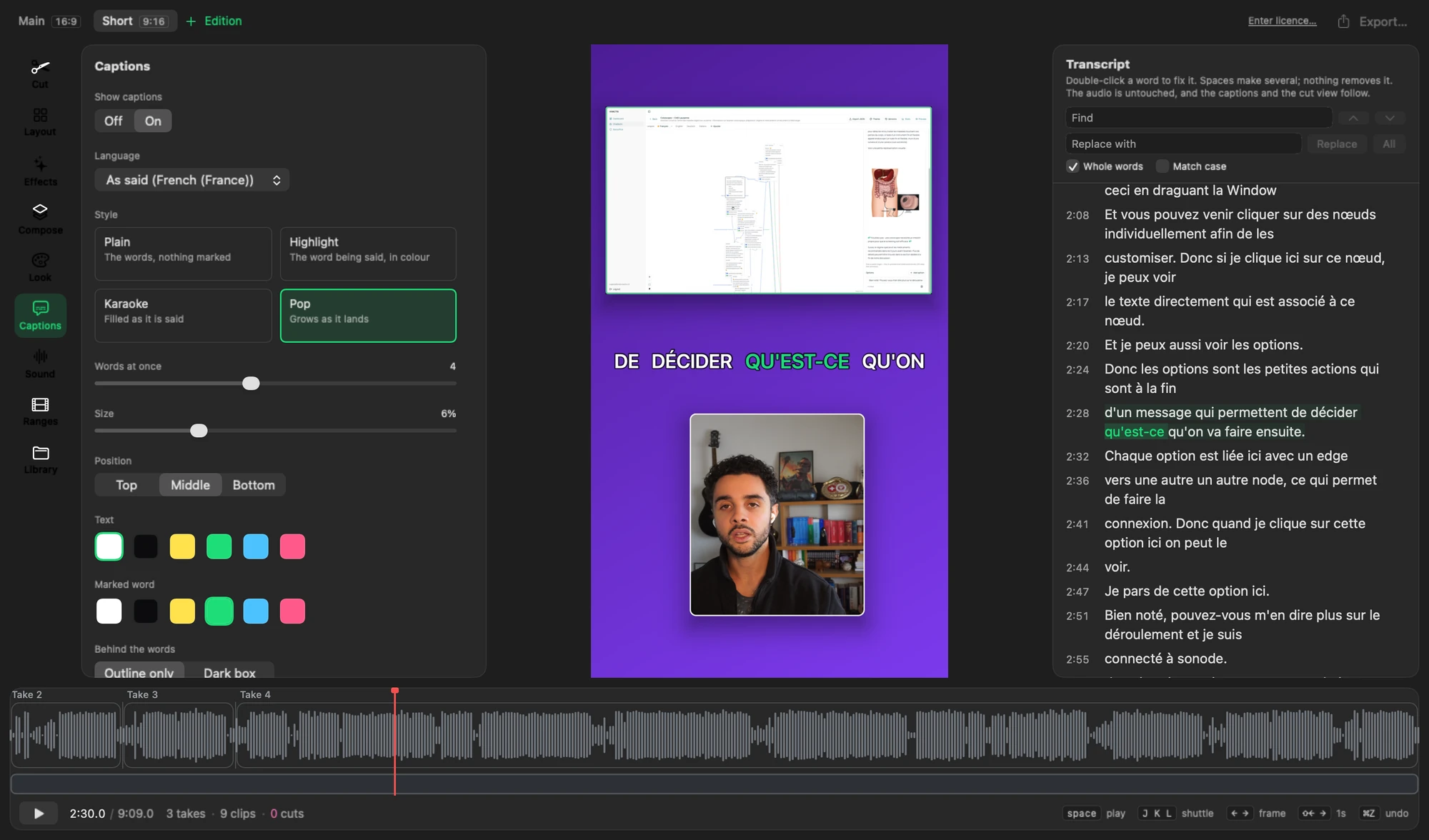
Captions come from the transcript, in four styles, with the word being said marked as it is
said. Correct a word once and the captions follow. Translate them into another language, on
your Mac, and export .srt and .vtt files beside the video.
The main video and its shorts
An edition is another cut of the same recording: 16:9 for the main video, 9:16 for a short, each with its own layout and captions. Mark the stretches worth sharing and export them all at once.
Sound and export
- Enhance voice: background noise and room echo removed, the level set for you.
- Export up to 4K, in HEVC or H.264, every edition and range from one sheet.
Let an agent do the tedious parts
Director has a command line, director, so Claude Code or any other agent can edit
a project while it is open in front of you. Each change lands in the window as you watch, and
⌘Z takes it back.
# "cut the bit where I restarted"
director cut remove --take take-01 \
  --anchor "So uv is a package manager for Python" \
  --words "and project manager"
Your recordings stay yours
- Recording, transcription, translation and export all happen on your Mac.
- A project is a folder of ordinary files you can open with anything else.
- Nothing is uploaded, and there is no account to make.
Which matters if you record unreleased work, client projects, or anything with a customer's data on screen.
Pricing
Try everything for free. Buy a licence when you want full-quality exports.
Free
$0
- Every feature, with no time limit
- Exports up to 720p, with a small watermark
Licence
$149 once
- Exports in 1080p and 4K, without the watermark
- One year of updates included
- The versions you have keep working for ever
- Use it on two Macs
One-time payment, no subscription. Prices exclude VAT or sales tax, which is added at checkout where it applies. Refunds within 14 days, no questions asked.
Questions
- How many Macs can I use it on?
- Two at once. To move it to a new Mac, open the licence in Director on the old one and choose Deactivate this Mac — or activate on the new one, and Director offers to free one of the other two.
- What happens after the year of updates?
- Director keeps working, with every version released during that year. Renewing for another year of updates is optional.
- Can I get a refund?
- Yes, within 14 days of buying, no questions asked: email support@getdirector.app from the address you bought with. How refunds work.
- Does it work offline?
- Yes. Recording, editing, transcription and export need no connection. Director checks the licence with our server now and then; if it cannot reach it, nothing changes for 30 days.
- What do you collect?
- Your email at purchase, and for activation the licence key, an anonymous identifier of your Mac and its name. No analytics, no tracking, and your recordings never leave your Mac. Privacy.
- I lost my licence key.
- Reply to the email it came in, or email support@getdirector.app from the address you bought with. It is the same key every time.
- What does it need?
- Requires macOS 26 on Apple Silicon.